
Barcode Scanning vs. Voice: Which Logs Macros Faster?
Barcode scanning and voice input are the two fastest ways to log macros in Fuel8. This guide walks through each method, shows where they excel and stumble, and explains the real-world accuracy trade-offs that matter when you eat out frequently.
Fuel8 Editorial
26 October 2026
Updated 26 October 2026
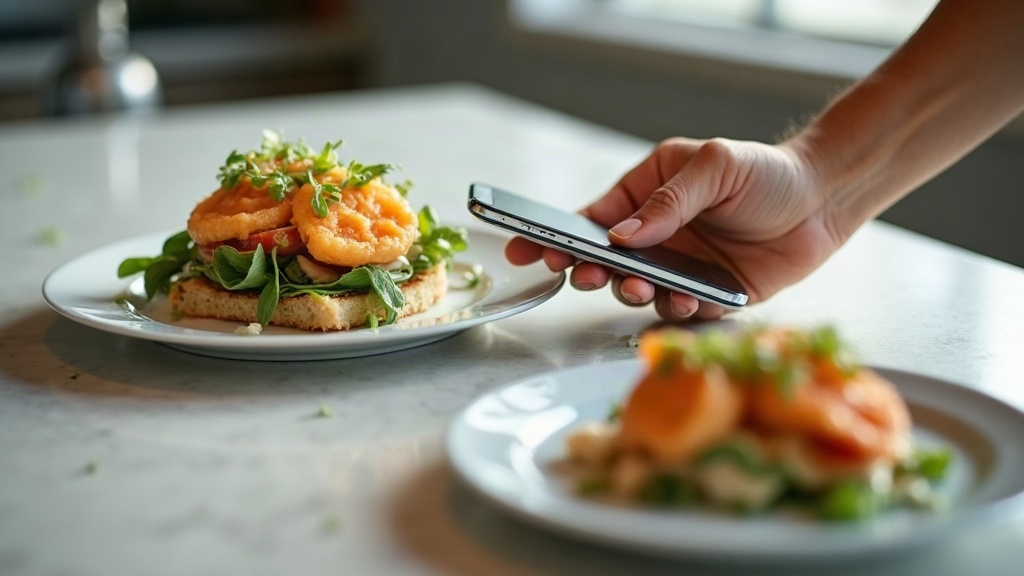
Barcode scanning and voice input are the two fastest ways to log macros in Fuel8. Each suits different eating scenarios. Barcode scanning works instantly for packaged foods with a clear code, while voice logging lets you speak meals aloud without touching your phone, useful when hands are full or privacy matters. The choice depends on whether you're at a grocery store (barcode), eating at a restaurant (voice or manual search), or meal prepping at home (both work well). This guide walks through each method, shows where they excel and stumble, and explains the real-world accuracy trade-offs that matter when you eat out frequently.
Both methods bypass manual entry and work offline. Speed isn't just about input time, it's about avoiding friction when you're hungry, busy, or away from a desk. The research below covers how each handles accuracy challenges unique to restaurant meals, where estimates typically miss by 175 calories on average.
Quick answer: when to use barcode scanning vs. voice logging
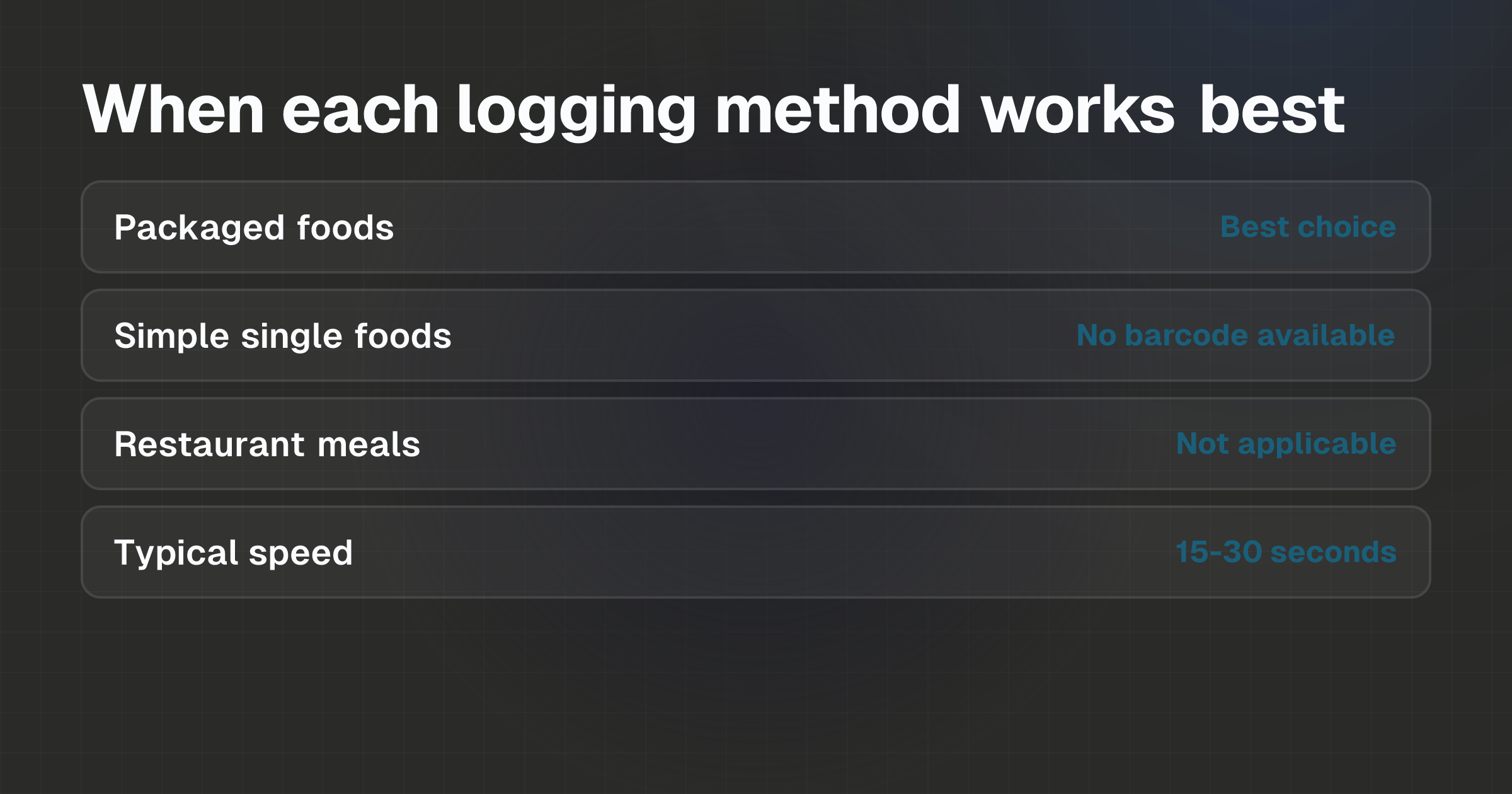
Barcode scanning is fastest for packaged, pre-portioned items: point your phone's camera at the code, and Fuel8 retrieves the food and macros from its database. Voice logging works best for common single foods ("apple," "chicken breast") or simple meals you can describe in a few words.
Neither method works well for complex restaurant dishes or homemade recipes, use manual search for those instead.
- Barcode scanning wins when: the food has a barcode, portion size is fixed, and lighting is decent.
- Voice logging wins when: the item is common and easily named, your hands are full, or you want to avoid speaking loudly in public.
- Manual search is your fallback: for restaurant meals, made-to-order dishes, or recipes with unknown portions.
What you need first
To use barcode scanning or voice logging in Fuel8, you need:
- Fuel8 installed on your iPhone
- A camera that works (barcode scanning requires the device camera)
- For voice input: a microphone (built into all iPhones) and clear speech
- The physical product or its packaging (for barcode scanning only)
- An estimate of portion size (both methods ask you to confirm this after logging)
Fuel8 works offline, so you don't need an internet connection to scan or speak. All data stays on your phone; no account or cloud sync is required.
The app includes a database of over 13,521 foods, so common items and many packaged products are already in the system.
Step-by-step: how to log with barcode scanning
Open Fuel8 and tap the barcode icon (or your app's equivalent logging entry point).
Point your phone's camera at the barcode on the product packaging. Make sure the barcode is in clear light and centered in the frame.
Wait for the scan to complete. Fuel8 will look up the item in its database and display the food name and nutritional data.
Verify the portion size. Barcode entries assume the standard serving listed on the package. If you ate a different amount (half the package, two servings), adjust the portion slider or quantity field.
Confirm and log. Once the portion is correct, save the entry. The macros and calories are now recorded.
Why this works fast: You eliminate typing. A scan takes 2-5 seconds if lighting is good. Verification adds another 10-15 seconds if the portion needs adjustment. Total: under 30 seconds for a typical packaged item.
When it fails: Barcode scanning only works on items with visible, readable barcodes. Fresh produce (apples, chicken breasts), restaurant meals, and homemade dishes have no barcode. Damaged or faded codes may not scan. If the barcode doesn't match any item in Fuel8's database, you'll need to search manually instead.
Step-by-step: how to log with voice input
Open Fuel8 and tap the microphone icon (or your app's equivalent voice-entry point).
Speak the food name and portion size clearly. Examples: "one apple," "200 grams of chicken breast," "two slices of whole wheat bread." Keep it simple and specific.
Wait for Fuel8 to interpret your speech. The app will display the food it matched to your words, along with estimated macros and calories.
Review the match and adjust the portion if needed. If the app matched the wrong food (e.g., "Fuji apple" instead of "red apple"), tap to correct it. If the portion size is wrong, adjust the quantity.
Confirm and log.
Why this works fast: No typing, no camera alignment, no lighting issues. Speaking takes 5-10 seconds, and verification takes another 10-15 seconds. You can log while walking, cooking, or sitting at a table. Fuel8 uses on-device voice processing, so no audio is sent to a server, your privacy stays intact.
When it fails: Voice logging requires clear speech and a database match. Ambiguous descriptions (e.g., just saying "salad" without specifying ingredients or dressing) may result in an incorrect match or a generic entry that underestimates calories. Complex restaurant dishes or homemade meals are harder to describe accurately in a sentence or two. If the app can't match your speech to a food in its database, you'll need to use manual search.
Example or scenario: logging three real meals
Scenario 1: Grocery store, buying yogurt
You're at the store and want to log a single-serve yogurt before leaving. Barcode scanning is ideal here.
Step: Scan the yogurt container's barcode.
Time: 15-20 seconds from phone in pocket to logged entry.
Result: Fuel8 finds the brand and flavor (e.g., "Greek yogurt, plain, 150g") and returns calories and macros. The portion is fixed, so you confirm and log. Done.
Why it works: The barcode is readable, portion is pre-set, and you don't need to think about how much you ate.
Scenario 2: At a friend's house, eating a banana
You're sitting on the couch, phone in your lap, and you grab a banana. Voice logging fits best.
Step: Say into your phone, "one medium banana."
Time: 10-12 seconds to speak and confirm.
Result: Fuel8 matches "medium banana" and returns ~105 calories, ~27g carbs, ~0g fat, ~1g protein. You glance at the portion, yes, it looks medium, and log it.
Why it works: Your hands are free, the description is straightforward, and the app nails the estimate for a simple, single food.
Scenario 3: Restaurant with a grilled chicken dish
You've ordered grilled chicken with vegetables and rice. Neither barcode scanning nor voice logging will give you an accurate answer.
Barcode: The plate has no barcode. Skip this.
Voice: You could say "grilled chicken with rice and vegetables," but Fuel8 can't know the portion sizes, oil used, or cooking method. You'll get a rough estimate.
Manual search: Search for "grilled chicken breast," "white rice," and "mixed vegetables" separately, estimate portions by eye or menu description, and log each. This takes 1-2 minutes but is more accurate than a single vague voice entry.
Why it matters: Restaurant meals are where calorie estimates go wrong. Research shows people underestimate restaurant meals by an average of 175 calories, and meals framed as "healthy" are underestimated by 20% in adults compared to indulgent meals of the same actual size.
Common mistakes to avoid
Over-trusting the barcode portion
When you scan a product, Fuel8 logs the serving size printed on the package. But if you ate only half the package or the entire box, the logged amount will be wrong.
Always check: did you eat one serving, or more or less?
Fix: After scanning, adjust the portion field to match what you actually consumed. If the package says "2 servings" but you ate the whole thing, change the quantity to 2 or multiply by 1.0 to 2.0.
Vague voice descriptions at restaurants
Saying "salad" to your phone logs a generic salad, which might be 200 calories, but the actual salad with dressing was 600 calories. Restaurant meals are prone to this underestimation because dressing, oils, and preparation methods add calories that a simple description misses.
Fix: Be specific with voice input, or use manual search for complex meals. If you must use voice at a restaurant, add context: "large salad with full-fat dressing" rather than just "salad." Better yet, search the menu or the restaurant's website for nutritional data if it's available, then search Fuel8's database for matching items and adjust portions.
Assuming a match is correct without verifying
After Fuel8 matches a barcode or voice input to a food, it's tempting to log immediately. But if the match is wrong, e.g., the barcode scanned as "whole wheat bread" when you scanned "rye bread", your macros for the day will be off.
Fix: Always glance at the matched food name and the portion before logging. If it looks wrong, tap to search and correct it.
Not logging because you're unsure of the exact amount
Many people skip logging a meal if they can't remember the exact portion size or can't decide between two options. Research and practical tracking both show that rough logging is worth more than no logging at all.
A missing day is missing information, not a failed week.
Fix: Make your best estimate. If you think it was "about 150 grams," log 150. If you're between two options, pick one and move on. Consistency over precision is what matters for patterns.
FAQs
How accurate is barcode scanning for macros?
Barcode scanning is only as accurate as the nutritional data on the product packaging. Manufacturers must list macros and calories, so the data in Fuel8's database should match. Accuracy breaks down if you misjudge the portion, if you ate 1.5 servings but logged 1, the numbers will be off proportionally. Always verify the portion size you logged matches what you ate.
Can I use voice logging at a noisy restaurant or gym?
Fuel8 uses on-device speech processing, so it doesn't depend on sending your voice to a server. However, it does depend on picking up your voice clearly. In a loud environment, background noise may interfere with recognition. If the app mishears you, correct the match in the results screen. For very noisy settings, barcode scanning (if the food is packaged) or manual search is more reliable.
What if Fuel8 doesn't recognize a packaged food I scanned?
If a barcode doesn't match the database, you'll need to search manually instead. This occasionally happens with new products, regional brands, or items not yet added to Fuel8's 13,521-item database. Search by food name, verify the match, and log the portion. The barcode method isn't slower than voice in this case, it's just a fallback to search, which takes an extra 10-15 seconds.
Should I use barcode scanning or voice for meal prep?
Both work for meal prep. Barcode scanning is faster if you're scanning packaged ingredients (rice, pasta, canned beans). Voice logging works well if you're describing cooked portions ("400 grams of cooked chicken," "2 cups of rice"). If you're weighing ingredients on a scale, voice lets you speak numbers without typing. For complex recipes with many ingredients, manual search or logging each component separately may be more accurate than a single voice entry.
Do I need an internet connection to use barcode or voice logging?
No. Fuel8 works offline. Barcode scanning and voice processing both happen on your phone, and the food database is stored locally. You can log meals in airplane mode or areas without cell service. Your data stays on your phone, nothing is synced to the cloud or sent to Fuel8's servers.
Why are my restaurant meal estimates so different from what I expect?
Restaurant meals are harder to estimate because portion sizes, cooking methods, and added oils aren't visible. Research shows people underestimate restaurant calories by an average of 175 calories per meal, and meals perceived as "healthy" are underestimated by 20% compared to indulgent ones of the same actual size. How Calorie Trackers Estimate Food Energy: The Science covers this in detail. For restaurants, search for individual menu items (grilled chicken, rice, vegetables) separately and adjust portions based on what you can see on the plate.
- Macro Tracking Techniques
- barcode scanning macros
- voice logging food
- log macros faster
- barcode vs voice input
Fuel8 is on the App Store.
A food diary for iPhone. It tracks protein, carbs and fat alongside calories, shows a weight trend rather than a daily verdict, never adds exercise calories back, and has no streaks to break.
Download on the App StoreGet the seven-day Fuel8 email guide, including how the app works and membership benefits. Then occasional recipes and product updates.
Your name and email go to Grow More Services L.L.C-FZ, the company that builds Fuel8, and are stored in Resend so we can email you the seven-day app guide, membership benefits, recipes and product updates. An account is not required. Unsubscribe in one click, any time.
This piece is editorial content and not medical or dietary advice. The full health disclaimer is below.