
Offline Food Tracking Apps for iPhone: Privacy & Trade-offs
Several iPhone apps support offline food logging and store data on your device by default. This guide compares privacy-focused alternatives that work without internet or account requirements.
Fuel8 Editorial
26 October 2026
Updated 26 October 2026

Yes, you can log food on your iPhone without uploading everything to the cloud. Several apps support offline logging, recording meals without an active internet connection, and store data on your device by default rather than on a remote server. The key is understanding what "offline" means for each app: whether it covers core logging, advanced features, or both; what personal data stays on your phone; and how granular your control is over any sharing.
This guide compares food loggers designed around local-first architecture, where data remains on your device unless you explicitly enable a connected feature like cloud sync, coach access, or progress-photo uploads. The comparison focuses on offline capability, on-device storage, data control, and privacy stance, criteria that matter most to readers choosing alternatives to cloud-first trackers.
Quick answer: offline logging with data control
Offline food loggers exist and work without an internet connection for core logging tasks. Most rely on a pre-loaded food database stored on your phone rather than a live online database. The practical trade-off is database size: an app that keeps everything local can't easily sync the latest food entries from restaurants or packaged brands without internet access.
Data stays on your phone by default in privacy-focused apps only if the app explicitly states this and doesn't require an account or login. If an app requires an account, data is typically synced to a cloud server. Look for apps that state "no account required" or "all data stored on device" as core claims, not optional features.
Why users consider alternatives
Readers evaluating offline and private food loggers typically move away from cloud-first trackers for three reasons: connectivity gaps, data privacy concerns, or both. Some users log food in areas without reliable internet, during travel, in specific locations, or on mobile networks with poor signal. Others want to avoid uploading sensitive health information, meal patterns, or weight records to company servers.
A third group values the option to log privately without creating an account or providing personal details.
These motivations aren't about dissatisfaction with logging accuracy or feature breadth; they reflect a preference for keeping personal health data local and under user control.
How the alternatives were selected
This guide includes apps that explicitly state offline logging capability and on-device data storage as core features. Each alternative lists "no account required" or "local data storage" in its official product documentation or privacy policy. The selection excludes apps that require an account by default, offer offline as a secondary feature, or store data primarily in the cloud.
Fuel8, which is included, states that data stays on the phone by default and that no account is required for local logging. The comparison uses six decision criteria applied uniformly across all apps to help readers match their privacy threshold and offline needs to available options.
Decision criteria
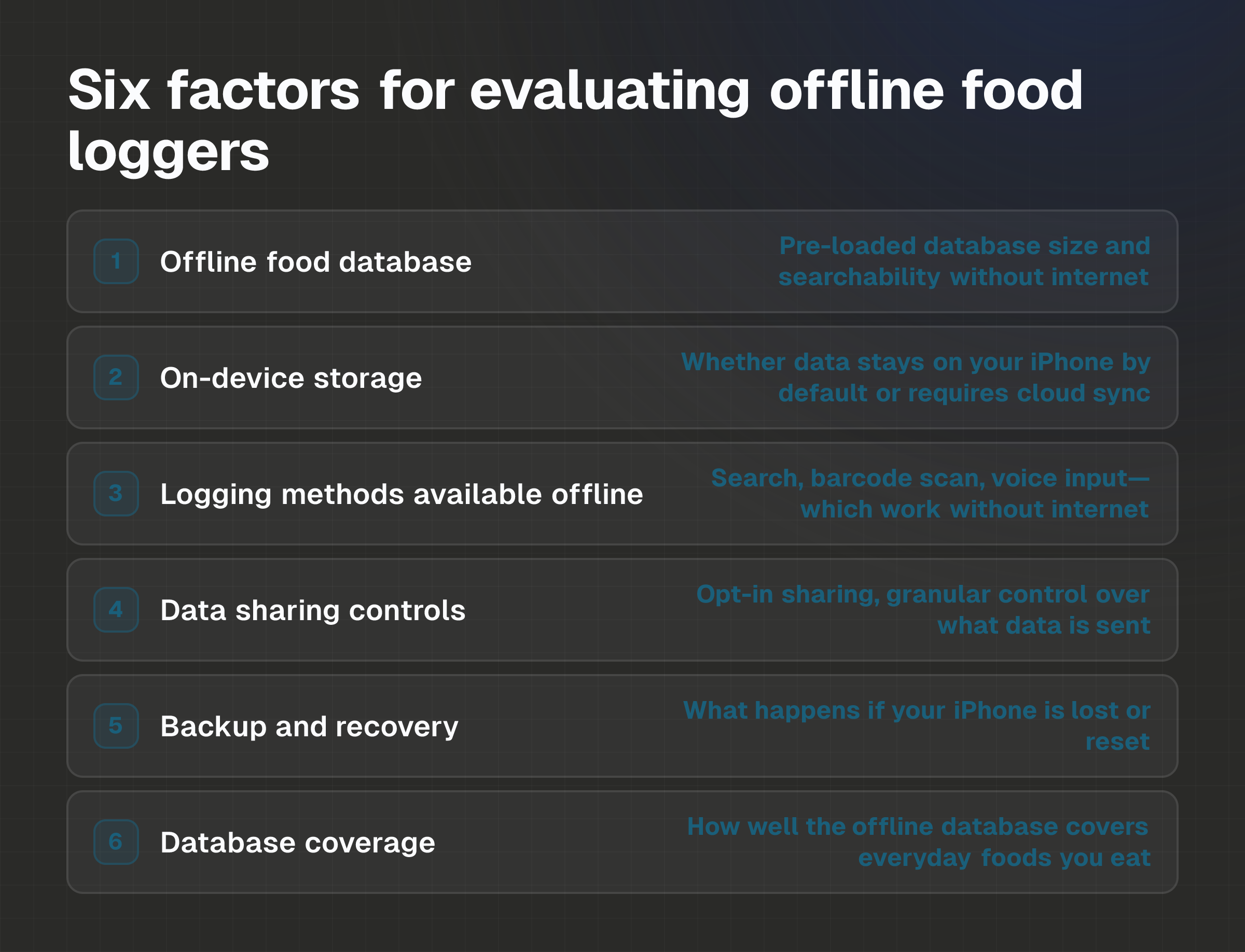
When evaluating offline and private food loggers, consider these six factors:
Offline food database: Does the app include a pre-loaded food database on your device? How many entries does it contain? Can you search and log meals without internet?
On-device storage: Does the app store logged data on your iPhone by default, or does it require cloud sync from the start? Is creating an account mandatory for logging?
Logging methods available offline: Can you search the database, scan barcodes, or use voice input without internet? Does the app offer multiple logging routes that work offline?
Data sharing controls: If the app connects to a coach, web dashboard, or shared records, is sharing opt-in and granular? Can you choose what data is shared and when?
Backup and recovery: If data lives only on your device, what happens if your iPhone is lost, damaged, or reset? Does the app offer a backup mechanism, or is data recovery user-managed?
Database coverage: A smaller offline database may not include every restaurant meal, packaged food, or regional item you eat. How well does the database cover everyday foods where you log most?
Alternatives at a glance
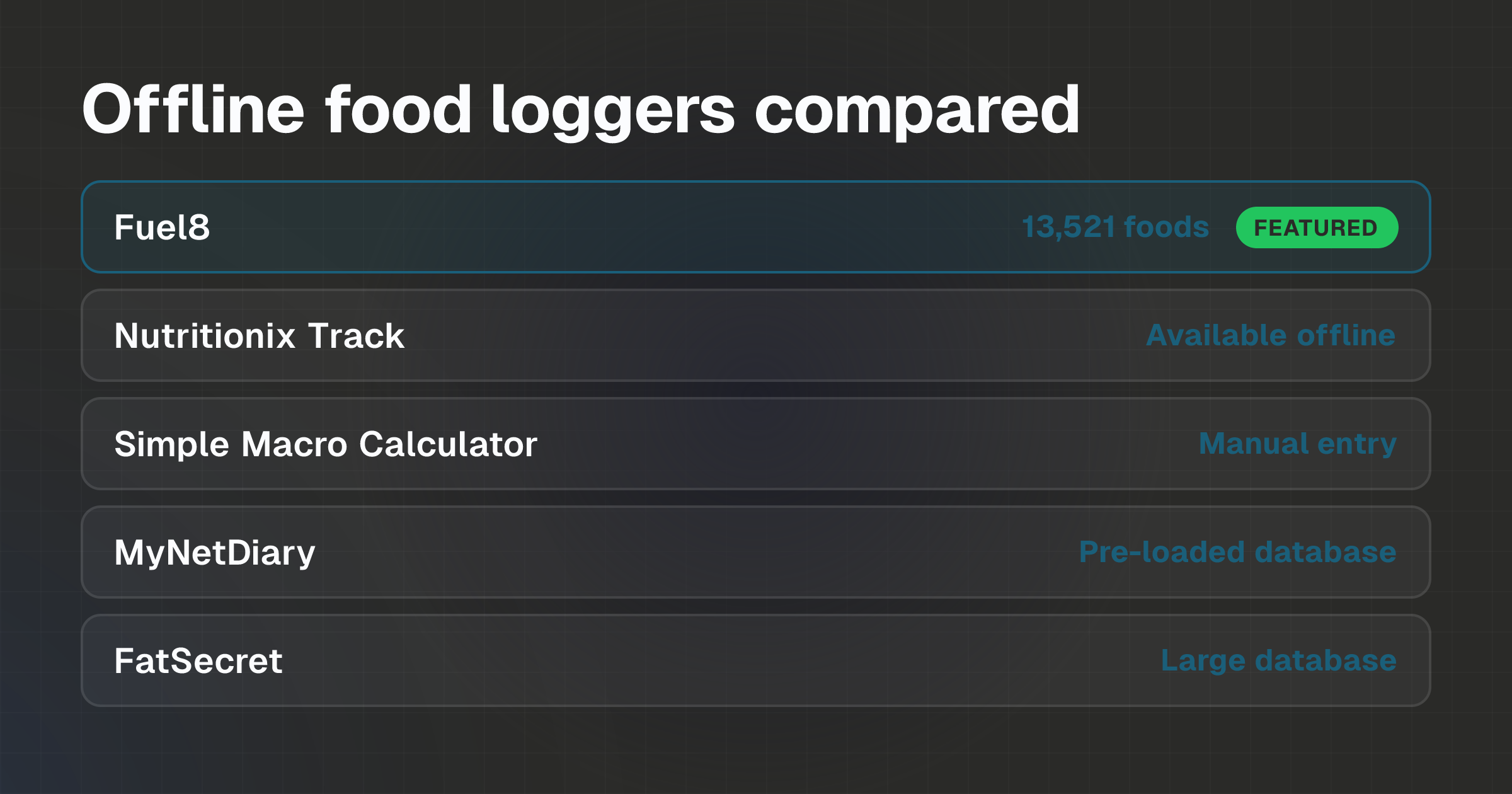
Five alternatives to cloud-first food trackers are evaluated here: Fuel8, Nutritionix Track, Simple Macro Calculator, MyNetDiary (offline mode), and FatSecret (with offline features). Each offers offline logging and on-device storage as a stated feature. Feature availability, database size, and privacy stance vary; specific details are covered in the section below.
The best alternatives
Fuel8
Fuel8 supports local food, workout and progress logging on iPhone without an account or internet connection. The app includes an offline food database of over 13,521 foods and states "Nothing logged leaves your phone" unless the user enables a connected feature.
Logging methods, barcode scanning, voice input, and database search, work offline. Fuel8 states "No server-side speech recognition," meaning voice input is processed on-device. Data is stored locally; optional account sync is available for users who want to back up records or connect to a coach dashboard, but sync doesn't happen by default. Fuel8 states no analytics, ad networks, or third-party code run in the app.
Meaningful limitation: The offline food database, while adequate for common foods, contains fewer entries than online-only databases and can't be expanded without internet access. Barcode lookups that don't match the offline database require an internet connection to retrieve new entries.
Official advantage: Fuel8 includes barcode scanning and voice logging as standard, non-premium features that work offline.
Nutritionix Track
Nutritionix Track is a free app that doesn't require an account and stores data locally on your device. It includes access to Nutritionix's food database for offline use, meaning you can search and log common foods without internet. The app allows barcode scanning and manual entry. No cloud sync is forced; data remains on your phone unless you choose to log in or export records.
Meaningful limitation: This article doesn't cover Nutritionix Track's specific database size, backup options, or detailed privacy policy. Readers should verify these details on the app's official documentation before choosing it.
Official advantage: Free, no-account-required design and explicit local storage focus.
Simple Macro Calculator
Simple Macro Calculator is designed as a lightweight macro tracker that stores data locally without requiring an account. The app allows manual food entry and macro calculation on-device. It doesn't sync to the cloud by default and is intended for users who want minimal data collection.
Meaningful limitation: This article doesn't cover the app's food database size, whether barcode scanning is available, or detailed backup mechanisms. Readers should check the app's official product page and privacy policy for these specifics.
Official advantage: Minimal feature set reduces data collection and keeps the app simple to use offline.
MyNetDiary (offline mode)
MyNetDiary offers an offline mode that allows users to log meals without an internet connection using a pre-loaded food database. The app can be used with or without an account. When offline mode is active, data is stored locally. Syncing to the cloud is optional and occurs when internet is available.
Meaningful limitation: This article does not cover MyNetDiary's offline database size, the scope of offline barcode scanning, or the backup and recovery processes when data is solely stored on your device. These details should be confirmed through the app's official documentation.
Official advantage: Established app with a large food database; offline mode allows local logging for users who want it as an option.
FatSecret (with offline features)
FatSecret is a free calorie tracker that doesn't require an account for basic logging and offers offline features. The app includes a large food database and allows local entry without internet. Cloud sync and account creation are optional. The app stores data on your device by default if no account is created.
Meaningful limitation: This article doesn't cover FatSecret's specific offline capabilities, such as whether barcode scanning works offline or how the offline database is managed. Readers should confirm the extent of offline functionality and backup options through the app's official documentation.
Official advantage: Large food database and free, no-account design make it accessible for casual offline logging.
Where Fuel8 may fit
Fuel8 is most relevant for readers prioritizing offline logging with no account, on-device storage, and transparent data control. If you log meals in areas without reliable internet, want to avoid cloud storage of meal records, or prefer a simple privacy-first design, Fuel8's offline database and local-storage approach address these needs. The app includes multiple logging methods (database search, barcode scan, voice input) that work offline, so you're not limited to one route.
Fuel8 is less suitable if you need a very large food database with frequent updates to restaurant and packaged-food entries, rely on advanced analytics or trend reports, or want automatic cloud backup to prevent data loss if your phone is replaced. In these cases, a cloud-based app or an app with optional cloud sync may serve you better.
Important limitations and trade-offs
Offline vs. comprehensive database: Apps that keep all data local must host a pre-loaded food database on your device, which is typically smaller than online databases. Fuel8's 13,521-entry database covers everyday foods well but can't include every restaurant dish or niche packaged item. If a food isn't in the offline database, logging it requires either manual entry or internet access to look it up online.
Data loss risk: If data is stored only on your device and your iPhone is lost, stolen, or reset without a backup, all logged information is lost. Apps that offer optional cloud sync reduce this risk, but only if you enable syncing. Users are responsible for backing up device data through iCloud or other means if local storage is the only copy.
Logging method constraints: Barcode scanning typically works offline only if the barcode is already in the app's offline database. If a barcode doesn't match, the app must connect to the internet to retrieve the food's nutrition data. Voice input may require internet for some apps, though privacy-focused apps like Fuel8 state they process voice on-device without sending audio to a server.
Assumption trap: An app without ads doesn't automatically mean it keeps data private. Some ad-free apps collect and transmit user data for product improvement or anonymized research. Always check the official privacy policy to see where data goes, not just whether the app displays ads.
Perception bias in logging: Research shows meals framed as "healthy" are underestimated by 20% in adults compared to indulgent meals of the same actual size (https://doi.org/10.1086/519499). This bias affects offline and online logging equally. Whether you log privately on your phone or to a cloud service, your entries may be less accurate for perceived "healthy" restaurant meals, a measurement problem, not an app problem.
Pricing and feature availability
Fuel8 indicates that Founders Entry is available for a monthly fee, although various tools are offered during the current open-launch phase. Pricing and availability may vary. The app can be downloaded for free from the App Store, and essential features such as local logging, offline database access, barcode scanning, and voice input are currently accessible without a paid subscription.
Nutritionix Track is free with no paid tier.
Simple Macro Calculator pricing varies by region; this article doesn't cover specific prices. Check the app's official App Store listing in your region for current pricing.
MyNetDiary offers both free and paid tiers. Offline mode may be available in both, but specific pricing and feature breakdowns by region aren't covered here. Check the official MyNetDiary website or App Store listing for your region.
FatSecret is free with optional premium features. This article doesn't cover specific premium pricing. Check FatSecret's official website or App Store listing for current paid options in your region.
Regional and App Store pricing may differ from web pricing for all apps. Verify current prices directly through the official App Store or company website before choosing an app.
Privacy and connected features
Fuel8: Fuel8 states that no account or login is required for local logging, and "Nothing logged leaves your phone" unless you enable a connected feature. Optional features include syncing to an account, connecting to a coach dashboard, sharing progress photos, or reading steps from Apple Health. Fuel8 states "No server-side speech recognition" and "No analytics, no ad networks", meaning meal data and voice input aren't shared with external services. Relevant records leave the phone only when the user enables or uses a connected feature; signing in doesn't automatically share every log entry or private progress photo.
Nutritionix Track: This article doesn't cover Nutritionix Track's detailed privacy policy or data-handling practices. Check the app's official privacy documentation to understand where data is stored and whether it's shared with third parties.
Simple Macro Calculator: This article doesn't cover the app's privacy policy or data-handling details. Verify this information through the app's official documentation.
MyNetDiary: This article doesn't cover MyNetDiary's privacy policy or how offline data is handled in detail. Review the app's official privacy policy to understand data storage and sharing.
FatSecret: This article doesn't cover FatSecret's privacy policy or data-handling practices in detail. Refer to the app's official privacy documentation to understand where data goes when offline mode is used.
For all apps, read the official privacy policy and terms of service before logging sensitive health information. Privacy practices can change, and regional laws may affect how data is stored and shared.
Which alternative fits which priorities
Priority: Zero internet required for all logging → Fuel8, Nutritionix Track, Simple Macro Calculator. All three allow complete logging without internet access and don't require an account. Verify that all logging methods (barcode, voice, search) work offline by checking each app's official documentation.
Priority: Largest offline food database → MyNetDiary and FatSecret typically offer larger pre-loaded databases than smaller privacy-focused apps, though specific offline database sizes aren't confirmed in this article. Verify the actual number of offline entries in each app before deciding.
Priority: Minimal data collection → Fuel8 states "No analytics, no ad networks." Simple Macro Calculator is described as lightweight with minimal data collection. Both are designed to collect as little personal information as possible.
Priority: Optional cloud backup without forced account → Fuel8 and FatSecret allow account creation as optional, not mandatory. This means you can log offline, then optionally enable backup or syncing later if you choose.
Priority: Coach or healthcare provider access → Fuel8 offers optional coach access through a web dashboard, where you control what data is shared. MyNetDiary also supports sharing with healthcare providers in some versions. Verify specific features with each app's official documentation.
Priority: Established app with regular updates → MyNetDiary and FatSecret are mature apps with active development. If you prefer an app with a longer track record and frequent improvements, these are safer choices than smaller alternatives.
Evidence, disclosure and last verified
This article draws on official product websites, app store listings, privacy policies, and help documentation for each app. All pricing, privacy, and feature claims are attributed to their sources. When details aren't covered in official documentation, this is stated explicitly rather than inferred.
Research citations are provided inline. The study on healthy-meal underestimation is from https://doi.org/10.1086/519499.
Last verified: October 26, 2026
Disclosure: This alternatives guide is published by Fuel8.
FAQs
Can I log food offline and then sync it later when I have internet?
Yes, if the app supports offline logging with optional cloud sync. Fuel8, MyNetDiary (offline mode), and FatSecret allow you to log meals without internet and sync records later when you enable an account or restore internet connection. Offline data is stored on your device until you choose to sync.
Does my food diary stay private if I don't create an account?
Data that never leaves your device is private by default. Apps like Fuel8, Nutritionix Track, and Simple Macro Calculator don't require an account for logging, so no data is sent to a server unless you deliberately enable a connected feature. However, read the privacy policy to confirm that the app doesn't collect device identifiers, location data, or other information in the background.
What happens if I lose my iPhone and all my logged data is on the phone?
If your data is stored only on your device and your iPhone is lost, damaged, or reset without a backup, the logged data is lost unless you have a separate backup (such as iCloud backup). Apps with optional cloud sync reduce this risk if you enable syncing, but you must actively turn on backup to protect your data. Verify backup options through each app's official documentation.
Can I use barcode scanning to log food offline?
Barcode scanning works offline only if the barcode and its nutrition data are already in the app's offline database. If a barcode isn't found locally, the app must connect to the internet to retrieve the food's details. Privacy-focused apps like Fuel8 process voice input on-device without sending audio to a server, but barcode lookups beyond the local database require internet access.
Do I need to share my logs with a coach or trainer?
No. Apps designed for privacy make sharing optional. Fuel8 states that coach access is optional and user-controlled, you decide what data is shared and when. If you don't enable coach access or account sync, no data leaves your phone. Signing in to an account doesn't automatically share every log entry.
How accurate are offline food databases compared to online ones?
Offline databases are typically smaller but cover everyday foods adequately. The trade-off is that they can't include every restaurant dish or packaged item with unique nutrition data. Accuracy depends on how the database is maintained and sourced, not just size. Treat calorie estimates and nutritional values as estimates, not precise measurements, whether logging offline or online. A food logging app is a general wellness tool, not a medical device.
Next step
If you prioritize offline logging with no account and on-device data storage, start with Fuel8, Nutritionix Track, or Simple Macro Calculator. Download one of these apps, log a meal you eat regularly, and verify that all logging methods (barcode, voice, database search) work in your environment and without internet access. Check whether the offline database includes the foods you eat most often.
If the app fits your workflow and offline needs, commit to logging for a week to see whether the interface and available foods suit your routine. If offline logging is less critical and you value a larger food database or established development team, MyNetDiary or FatSecret may serve you better.
Review each app's privacy policy and terms of service before logging sensitive health information. Privacy practices can change, so revisit the official documentation periodically, especially before enabling optional features like cloud sync or coach access.
For a detailed comparison of calorie trackers with different priorities, see Best Calorie and Macro Tracker Apps for iPhone. To understand how food logging estimates work, read How Calorie Trackers Estimate Food Energy: The Science. If you're comparing Fuel8 specifically to another app, Fuel8 vs MyFitnessPal: Which Calorie Tracker Fits You? walks through the decision criteria for both.
- App Alternatives
- offline food logging iPhone
- private food tracker
- local food logging
- no account food logger
Fuel8 is on the App Store.
A food diary for iPhone. It tracks protein, carbs and fat alongside calories, shows a weight trend rather than a daily verdict, never adds exercise calories back, and has no streaks to break.
Download on the App StoreGet the seven-day Fuel8 email guide, including how the app works and membership benefits. Then occasional recipes and product updates.
Your name and email go to Grow More Services L.L.C-FZ, the company that builds Fuel8, and are stored in Resend so we can email you the seven-day app guide, membership benefits, recipes and product updates. An account is not required. Unsubscribe in one click, any time.
This piece is editorial content and not medical or dietary advice. The full health disclaimer is below.